Check any page for the exact reason Google is not indexing it
One URL. One answer. A complete diagnostic — HTTP status, headers, meta tags, robots.txt, and the redirect chain — ordered by what actually blocks you.
No account needed · Free
01 / WHAT IT CHECKS
More blockers live in a page's response than in its content
Indexwhy reads what a crawler reads — the response status, every header, and the HTML it carries — and tells you which ones actually prevent indexing.
HTTP status & redirects
A 4xx or 5xx stops a crawler cold. Indexwhy follows the full redirect chain and reports every hop, with a 5-hop limit so a loop does not hang the check.
X-Robots-Tag header
A noindex in the HTTP response header is as final as one in the HTML. This is the most common leftover from a staging-to-production migration.
Meta robots directive
<meta name="robots" content="noindex"> is the single most frequent reason a page is missing from Google — and the easiest to fix.
Canonical tag
A canonical pointing at a different URL tells Google the page is a duplicate. Indexwhy checks both the <link> tag and the Link header.
Robots.txt
A Disallow directive in /robots.txt that covers the page path blocks crawling. Indexwhy fetches and parses the file, applying the longest-match rule.
Sitemap presence
If the page is not listed in any declared sitemap, it is not being submitted for indexing — a weakening factor that is easy to miss.
02 / HOW IT WORKS
Crawler-side, not dashboard-side
Indexwhy fetches the URL the same way Googlebot would — then reads what the server actually sent back. No JavaScript rendering, no browser emulation, no simulated rank.
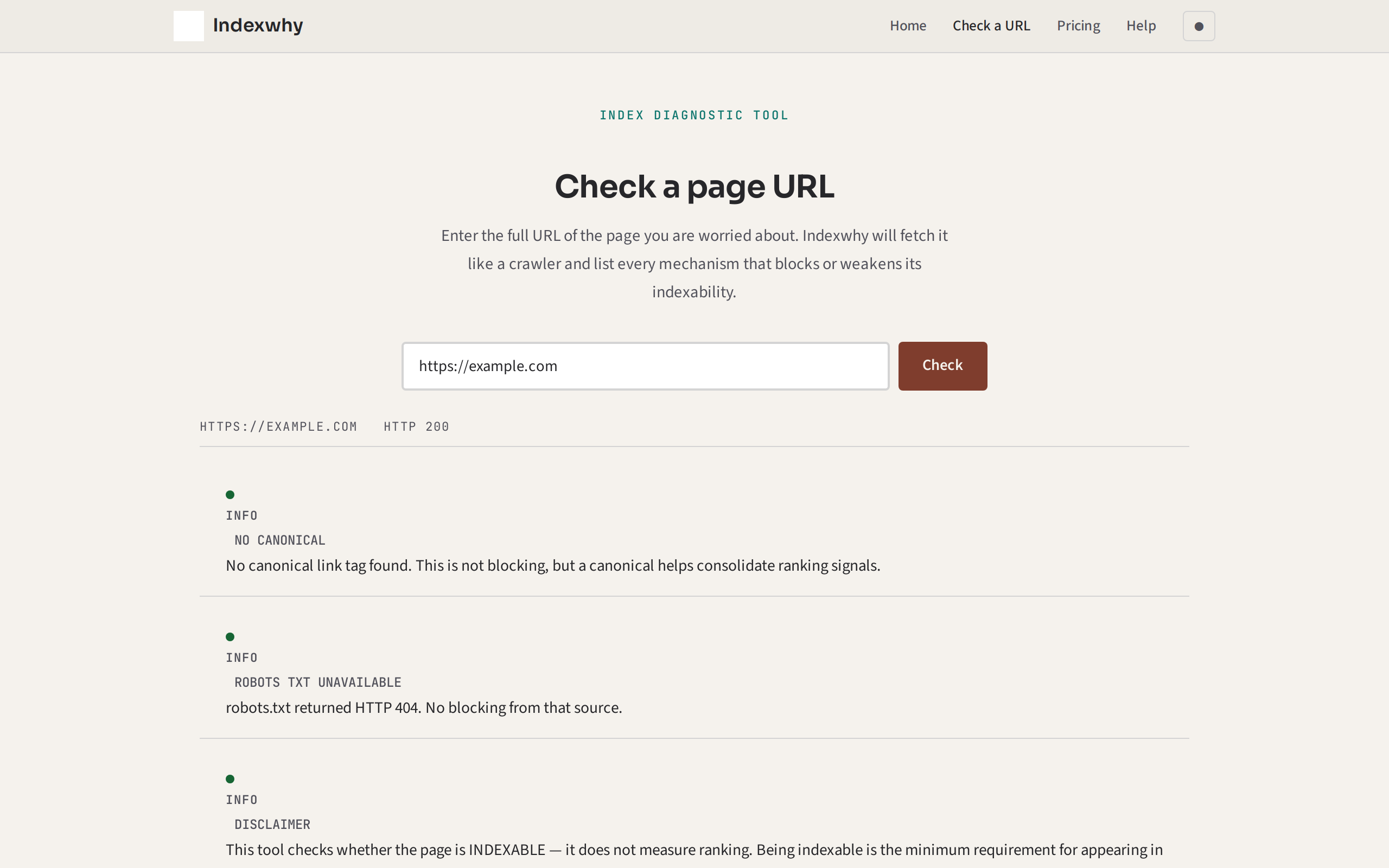
03 / WHAT A RESULT LOOKS LIKE
Blocking, weakening, or clear — in that order
Findings are sorted by whether they actually exclude the page. You see what to fix first, not a firehose of warnings.
<meta name="robots" content="noindex">. This tells every crawler that the page should not appear in any index. One line to remove.
https://www.example.com/original-page) differs from the requested URL. Crawlers treat the canonical as the definitive version; this page may rank poorly as a duplicate.
/robots.txt does not disallow this path.
Each finding carries the offending value — the exact meta tag, the directive line in robots.txt, the redirect target — so you can fix it without copying anything from a second tab.
04 / WHAT IT WILL NOT DO
Honest about what this tool cannot do
A diagnostic is useful only when it says what it does not cover. Every result includes a version of this disclaimer.
- Does not tell you your ranking or position. Being indexable is the floor, not the outcome. Fixing these blockers gets you into the index; it does not guarantee a position.
- Does not submit anything to a search engine. Indexwhy inspects your page — it does not resubmit it.
- Cannot check pages behind a login or paywall. If a crawler cannot reach the page, neither can this tool.
- Cannot render JavaScript. Single-page applications built entirely in JS will appear empty to a plain HTTP fetch. If your page depends on client-side rendering to show content, this tool cannot evaluate its indexability fully.
- Cannot reach servers behind Cloudflare's network. The Workers platform cannot open a connection back into its own infrastructure. If the site itself is on Cloudflare, it will be reported as unreachable rather than as blocked — this is a platform limit, not a finding about your site.
- Does not audit an entire site in one pass. One URL, one answer. For a full site audit, see a dedicated SEO crawler.
05 / WHAT IT COSTS
Free, because the blocker is rarely the expensive part
The thing that keeps a page out of Google is almost always a single line left over from a redesign. Charging to find that line would be absurd.
Indexwhy is and remains free. No accounts, no trials, no payment needed. If you need to check multiple URLs at once, the check page can handle as many as you like — one at a time, each with a full diagnostic.
06 / THE ONE-LINE FIX
A `noindex` tag is the most common answer, but not the only one
These are the patterns that turn up most often. If none of these sounds familiar, the result from your URL will tell you what does.
I redesigned my site and now my old pages are gone from Google.
Check whether the staging <meta name="robots" content="noindex"> was removed from the production pages. This is the single most common cause and it is one tag to delete.
My homepage is indexed but my blog posts never show up.
The /robots.txt file may have a Disallow: /blog/ left over from before the blog launched. Indexwhy checks the directive that applies to the exact path you enter.
I have a canonical tag but I only set it to prevent duplicate content.
A canonical pointing at a different URL tells Google that this page is not the one to index. If you want the page to appear on its own, remove the cross-referencing canonical.
I use a JavaScript framework — is that the problem?
Indexwhy cannot evaluate JS-rendered content because it fetches the raw HTML. If your page is entirely client-side rendered, you may need server-side rendering or a dynamic rendering solution for crawlers. This tool will report what the raw HTTP response contains, which may be an empty shell.
I moved my site to HTTPS and old pages disappeared.
Check whether the old HTTP URLs are still returning 200s (possibly serving the same content on both schemes), or whether the redirect chain goes HTTP → HTTPS correctly. A redirect chain longer than two hops is a weakening signal.
SOMETHING TO TAKE WITH YOU
You cannot fix what you cannot see
Enter your URL. In a few seconds you will know exactly why Google is not including it — and whether the fix is one tag, one header, or one redirect.
No account · Free · Your page stays private to your browser session